Configuring file extensions#
If your repository has source files with unrecognized extensions, you can configure Codacy to include them in the next analysis:
-
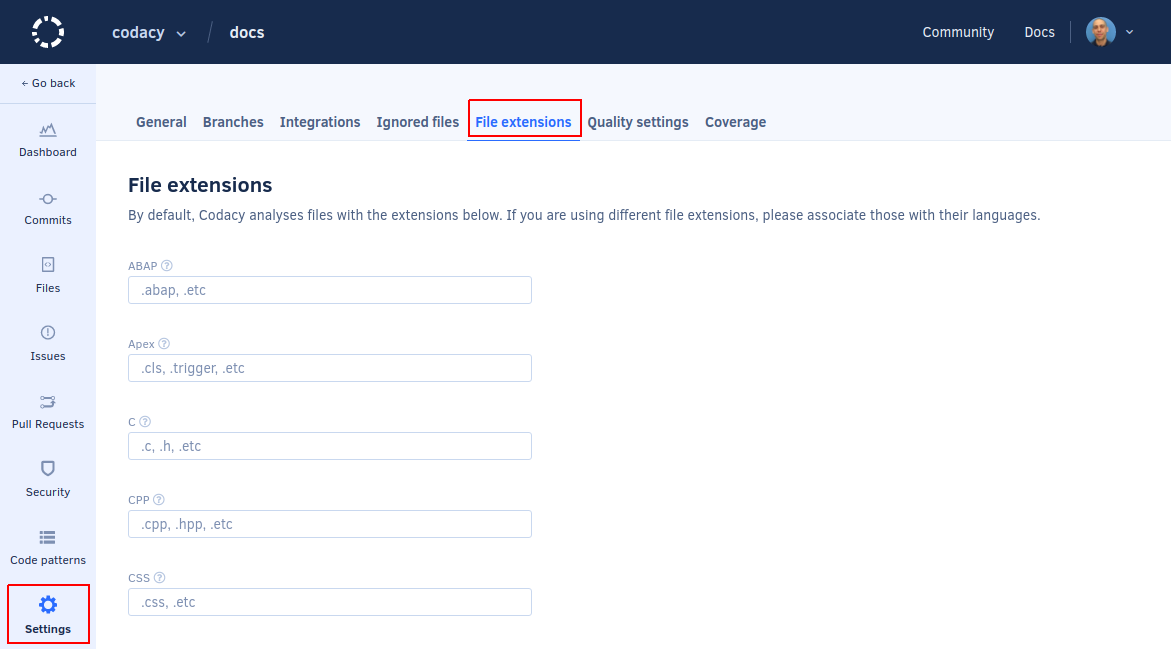
Go to your repository's Settings, File Extensions.
-
Add the extensions you want to be recognized for each language.
-
Click Save to update your file extension settings.
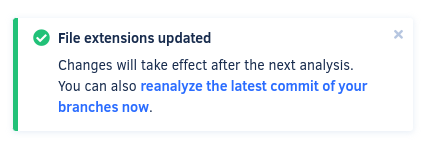
The updated settings will be used on the next analysis, but you can click reanalyze the latest commit of your branches now on the notification that appears at the bottom of the page to trigger an analysis immediately.
Was this page helpful?
Your feedback helps us improve the documentation.
255 characters left
Thanks for helping improve Codacy documentation.
For more detailed feedback, open an issue on GitHub.