Jira integration#
The Jira integration incorporates Codacy on your existing Jira workflows.
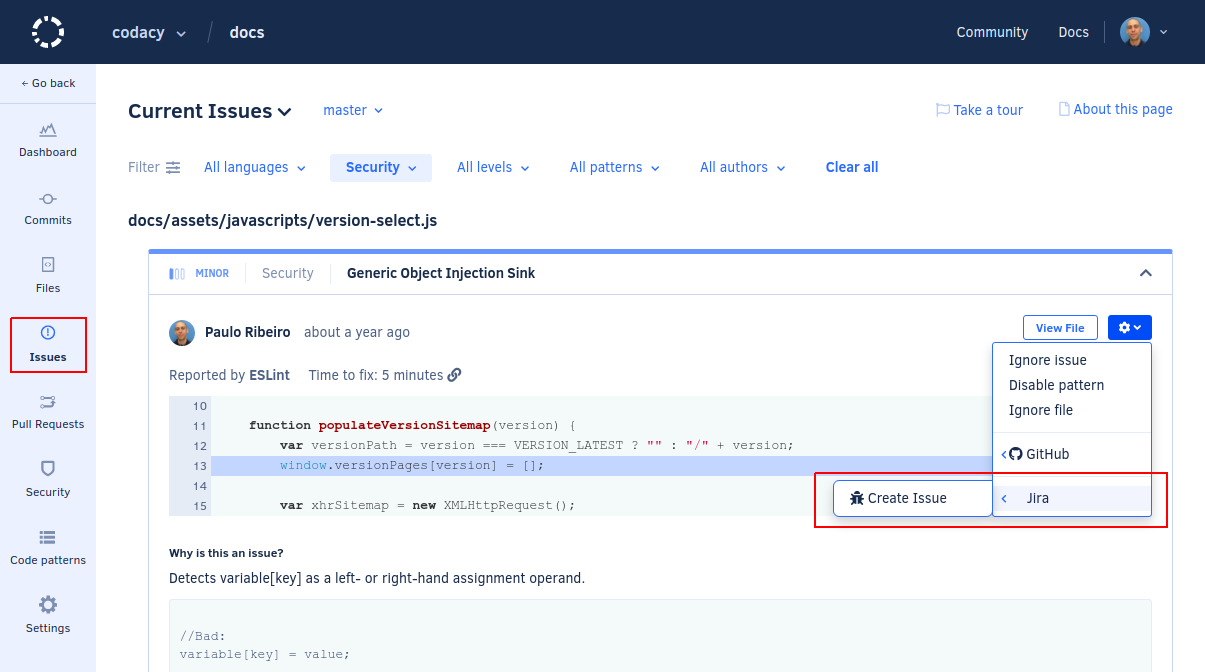
When the integration is enabled, you can create issues on a Jira project directly from Codacy when browsing the existing issues on the repository:
Enabling the Jira integration#
To enable the Jira integration:
-
Open your project Settings, tab Integrations.
-
Click the button Add integration and select Jira on the list.
-
Configure the Jira integration fields as follows:
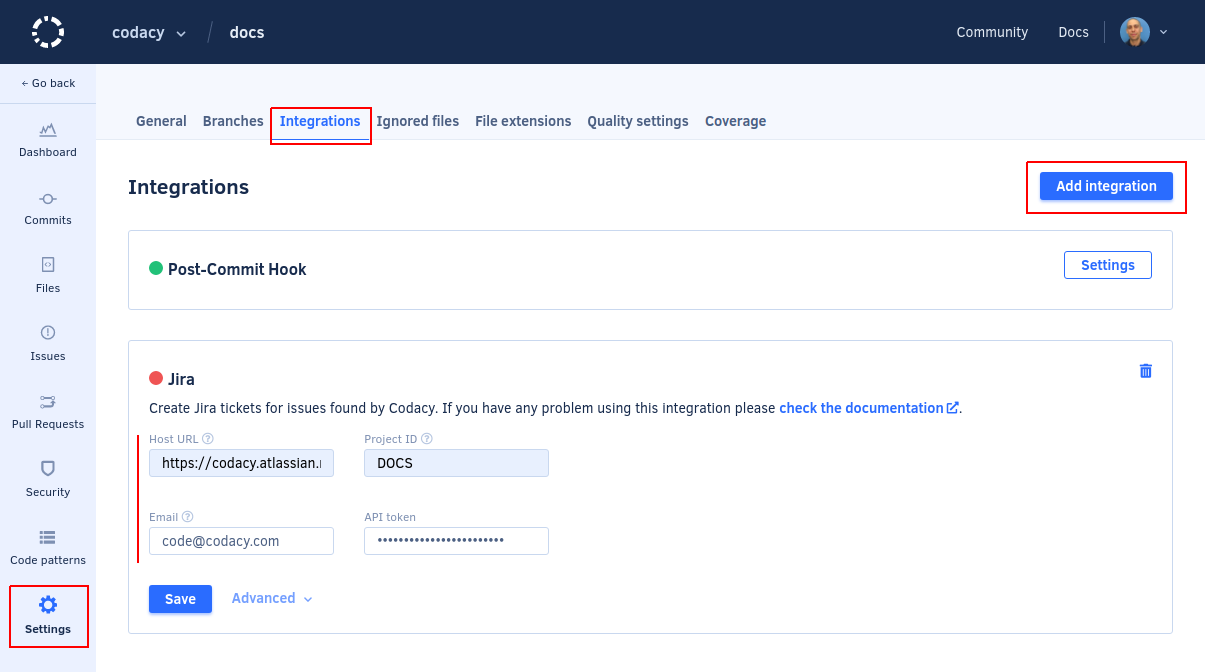
- Host URL: Base URL of your Jira instance, including the protocol. For example,
https://mycompany.atlassian.net/. - Project ID: Key of the Jira project where Codacy will create issues. You can obtain the project key from the prefix of Jira issue numbers in that project. For example,
DOCSfor a project with the issue DOCS-42. - Email: Email address of the user account that Codacy will use to create new issues in Jira.
- API token: Jira API token for the user account that Codacy will use to create new issues in Jira. The Jira integration only supports HTTP basic authentication.
Important
We recommend that you use a dedicated service account for integrating Codacy with Jira. Jira issues created by Codacy will appear as being reported by this user account.
- Host URL: Base URL of your Jira instance, including the protocol. For example,
-
Click Save and make sure that Codacy can successfully establish a connection with Jira.
-
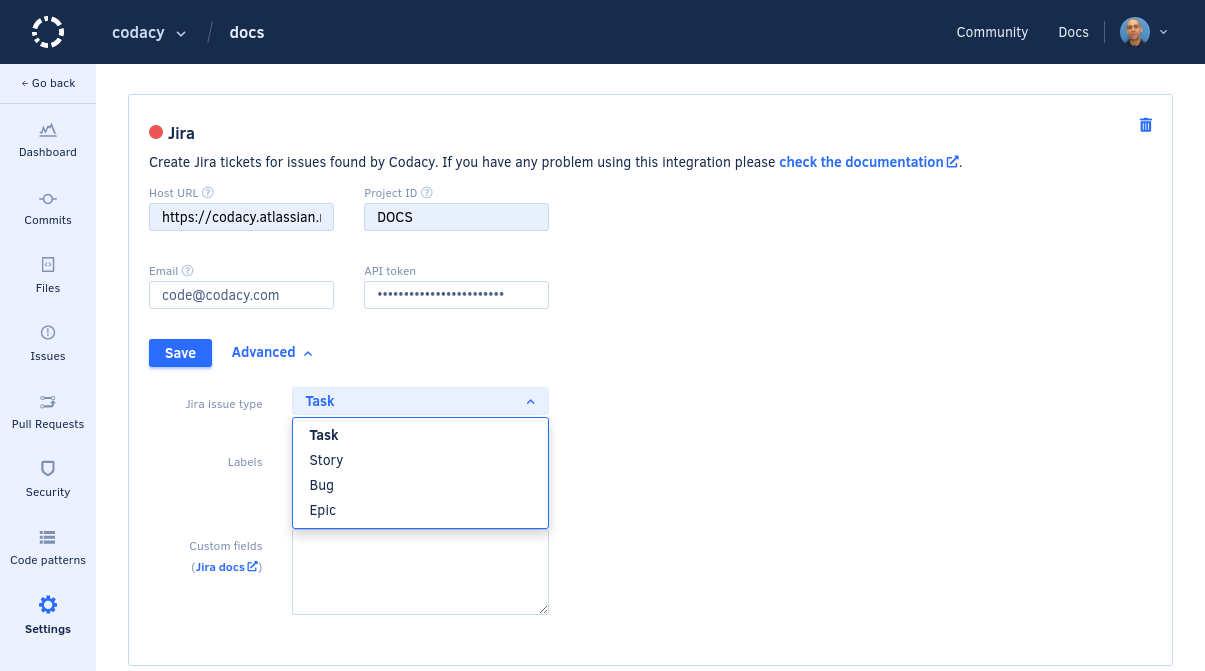
Click Advanced to configure the issue type and any built-in or custom Jira fields of new issues created by Codacy.
Was this page helpful?
Your feedback helps us improve the documentation.
255 characters left
Thanks for helping improve Codacy documentation.
For more detailed feedback, open an issue on GitHub.